WordPress Plugin / Free
Enjoy the joke.
Give WordPress
a legacy view
.
Framesets, table layouts,
MS Gothic, and colorful ● menus.
The classic look of late-1990s websites,
brought back simply by appending
?legacy=1 to your URL.
A WordPress plugin — and strictly a joke plugin.
https://yoursite.com/?legacy=1v1.0.6 / GPLv2 / WordPress 5.0+
Download without email signup
VIDEO
1分でわかる Legacy View Switcher
Overview
Recreates the old web look in WordPress.
On websites from the late 1990s to early 2000s, <frameset> , table layouts, MS Gothic,
textured backgrounds, and colorful ● menus were
widely used. Even today,
some sites are still online preserving the structure and look of that era
.
Legacy View Switcher is a plugin that lets you experience those old web expressions
right on WordPress.
It exists not to imitate any specific site,
but as a way to experience, study, and express
the web-design techniques widely used at the time.
The legacy view is theme-non-destructive —
it simply swaps in a dedicated template.
Your original site is left completely untouched —
it switches only when you append ?legacy=1 to the URL.
Use it for studying web-design history,
for documentation, or as a sample of nostalgic styling.
● Home ● Profile
● News ● Links
You can display layouts like this
on your current WordPress site.
Keep your normal view as-is and check the legacy view only when you need it.
Key Features
Retro on the outside, modern under the hood.
Two-column display with framesets
Faithfully recreates the iconic HTML4-era <frameset cols="18%,82%"> split layout — menu in the left frame, content in the right. The classic structure of the era.
Table layout (fallback mode)
When you turn off framesets, the layout switches to a pseudo two-column view using <table> elements. It also works as a fallback for environments without frameset support.
Switch via URL parameter
Just append ?legacy=1 to the end of the URL to switch.?legacy=0 returns you to the normal view. No complicated setup — enable the legacy view only when you need it.
Designed to leave your site untouched
It never touches your theme files or database structure. Legacy-view URLs automatically get noindex applied, preventing any impact on search results. It does nothing at all during normal browsing, so it’s safe to install on production sites.
How to Use
From install to first view in 3 steps.
- Upload the ZIP
Install the downloaded ZIP from WordPress admin → “Plugins” → “Add New” → “Upload Plugin”. - Activate
Click “Activate” — the plugin is ready. - it switches only when you append
?legacy=1appended — open your site
Append?legacy=1to the end of your site URL to switch to the legacy view.?legacy=0returns to the normal view.
Screenshots
Before / after of normal → legacy view, plus the admin screen.
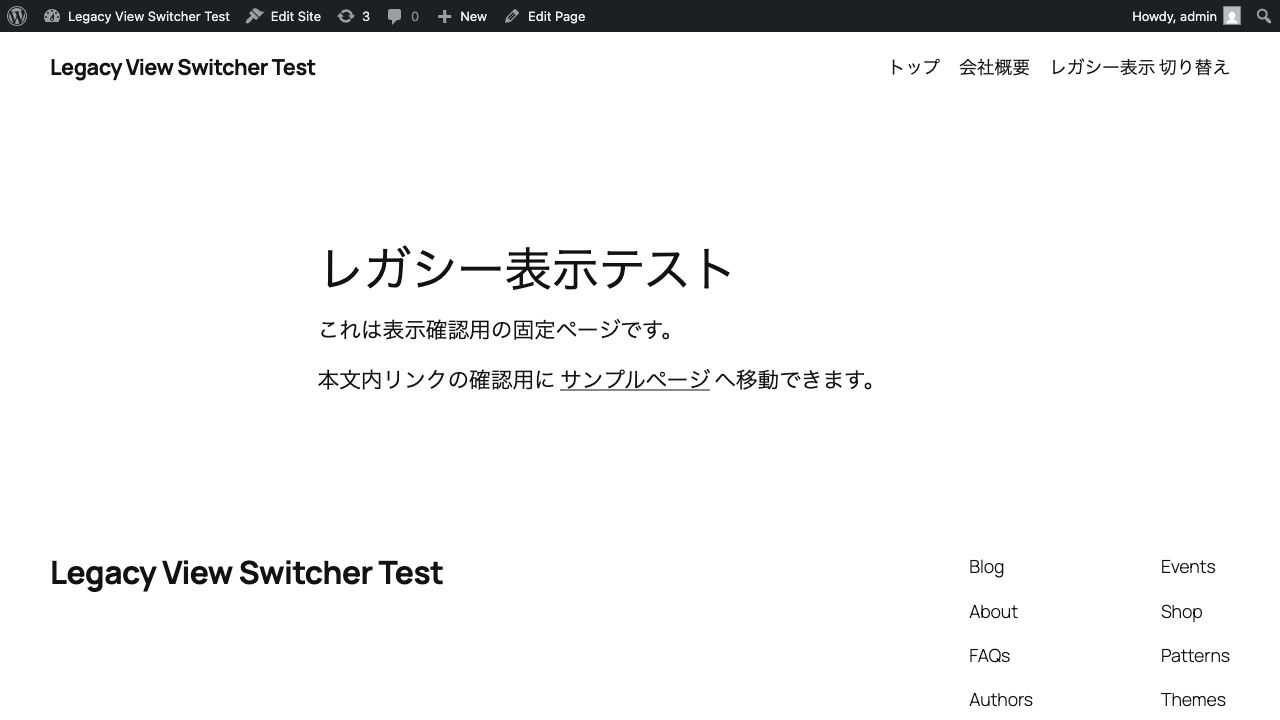
Before: your usual WordPress
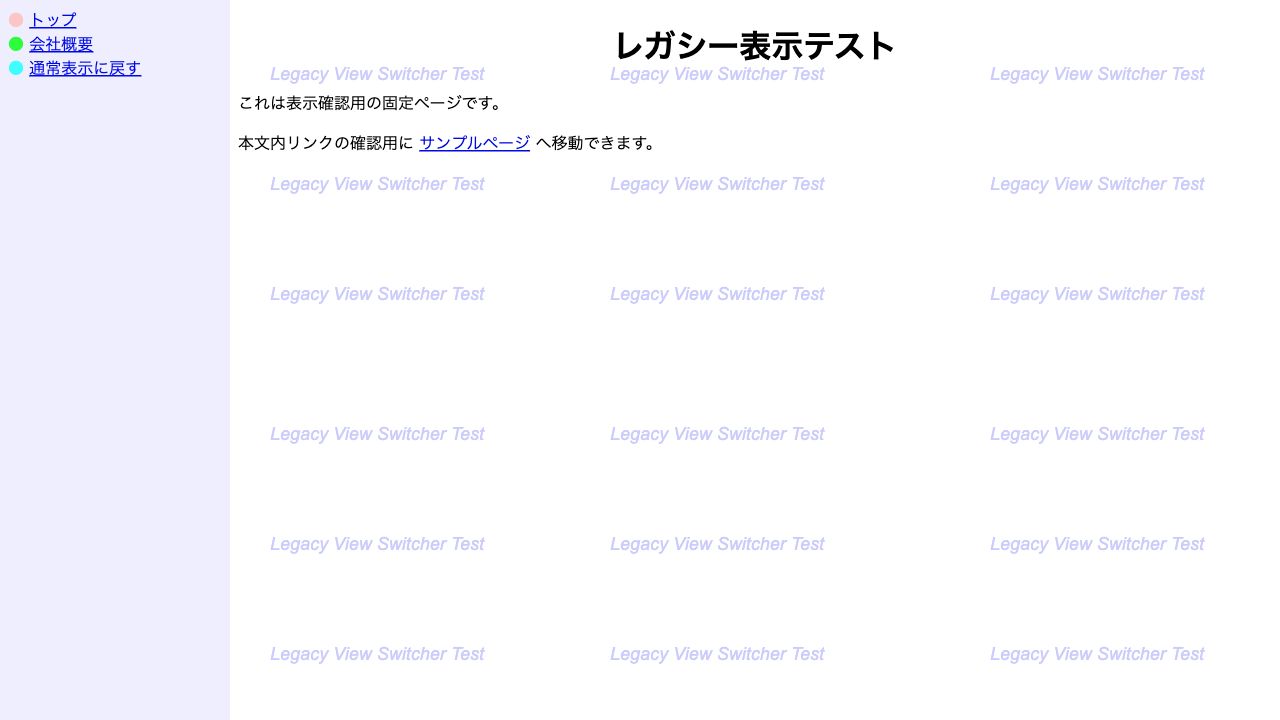
After: frameset two-column
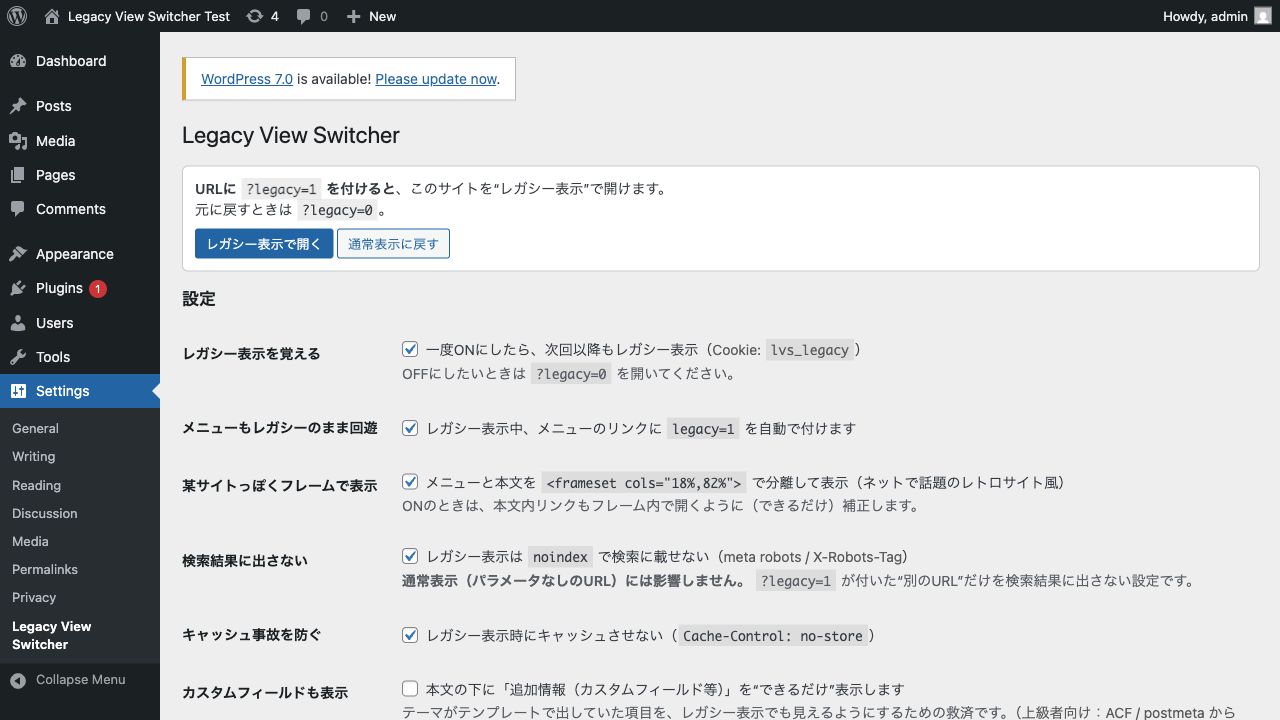
Admin screen
FAQ
Common questions before installing.
What is this intended for?
It’s a joke.
Can it make my site look like Hiroshi Abe’s homepage?
It does not copy or imitate Hiroshi Abe’s official site. That said, it’s well suited for enjoying, as a joke, that famously lightweight, old-school homepage feel often talked about online.
Does it imitate a specific site?
No. This plugin is not intended to imitate any specific person, organization, or existing site, nor do we encourage that. It is a learning and expression tool that recreates common 1990s web-design techniques (framesets, table layouts, MS Gothic, etc.).
Will it affect SEO?
Legacy-view pages (URLs with ?legacy=1 ) automatically get noindex / nofollow applied so they won’t be indexed by search engines. Normal-view URLs are unaffected. To prevent cache mishaps, a Cache-Control: no-store option is also available.
What about smartphones?
Frameset-era 1990s expressions weren’t made with smartphones in mind, so we recommend viewing on a desktop browser. As an alternative, there’s also a setting that skips framesets and renders the <table> layout instead.
What’s the difference between frameset mode and table mode?
Frameset mode is the real HTML4-era <frameset> two-column display, where the URL and frames operate independently. Table mode reproduces a similar look with a <table> layout — a fallback for environments without frameset support. You can switch anytime in settings.
Download
Legacy View Switcher is free to use.
No email signup, no ¥0 checkout. Click the button and the ZIP downloads immediately.
WordPress 5.0+ / PHP 7.4+ / v1.0.6 / GPLv2 / ZIP ファイル(約 369KB)/ ダウンロード数のみ計測
Legacy View Switcher v1.0.6 / Developed by wpmm / License: GPLv2 or later
This plugin is a learning and expression tool for recreating historical web design. It is not intended to imitate, nor does it endorse imitating, any specific person, organization, or existing site. Use at your own risk.