Manage LINE intake
in WordPress.
Save LINE intake to WordPress.
VIDEO
1分でわかる LINE Intake Engine
After receiving requests through LINE, is your management scattered?
Requests get buried in chats
Applications and inquiries flow through LINE chats, making it time-consuming to find who requested what later.
Contacts and statuses are managed separately
Spreadsheets, the LINE admin screen, and WordPress post data are split apart, increasing missed updates and duplicate handling.
Each use case needs to be rebuilt
Even similar intake flows, such as hiring, reservations, events, and inquiries, often become one-off custom builds.
Turn LINE intake into WordPress business data
LINE Intake Engine is a flexible plugin that connects LINE's low-friction intake flow with data management inside WordPress.
LINE application and intake buttons
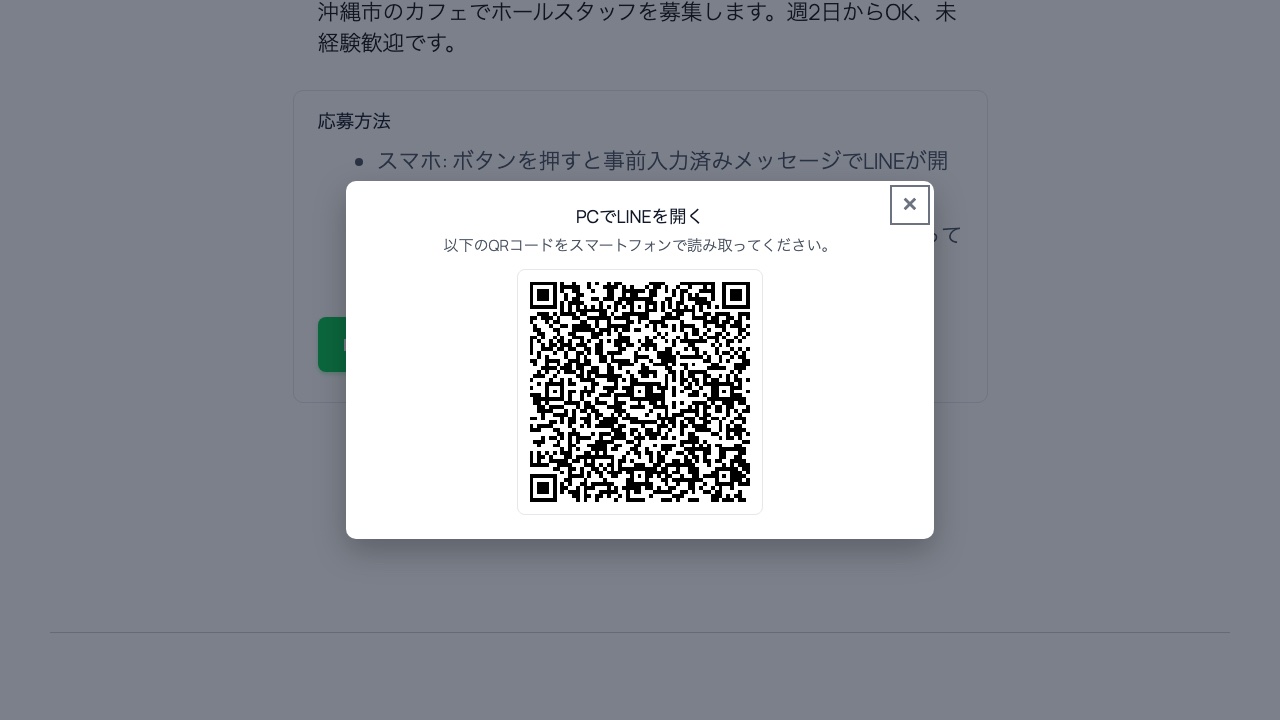
Automatically add a LINE application block to posts. Desktop users see a QR modal; mobile users can open LINE directly.
Webhook intake and automatic saving
Validate messages received from LINE and save the target ID, LINE userId, display name, and status to the database.
LINE contact list and status management
Bring applications and LINE contacts together in the WordPress admin. Update response statuses quickly with Ajax.
Individual and broadcast messages
A practical sending flow with recipient count confirmation, duplicate-send locking, and send logs.
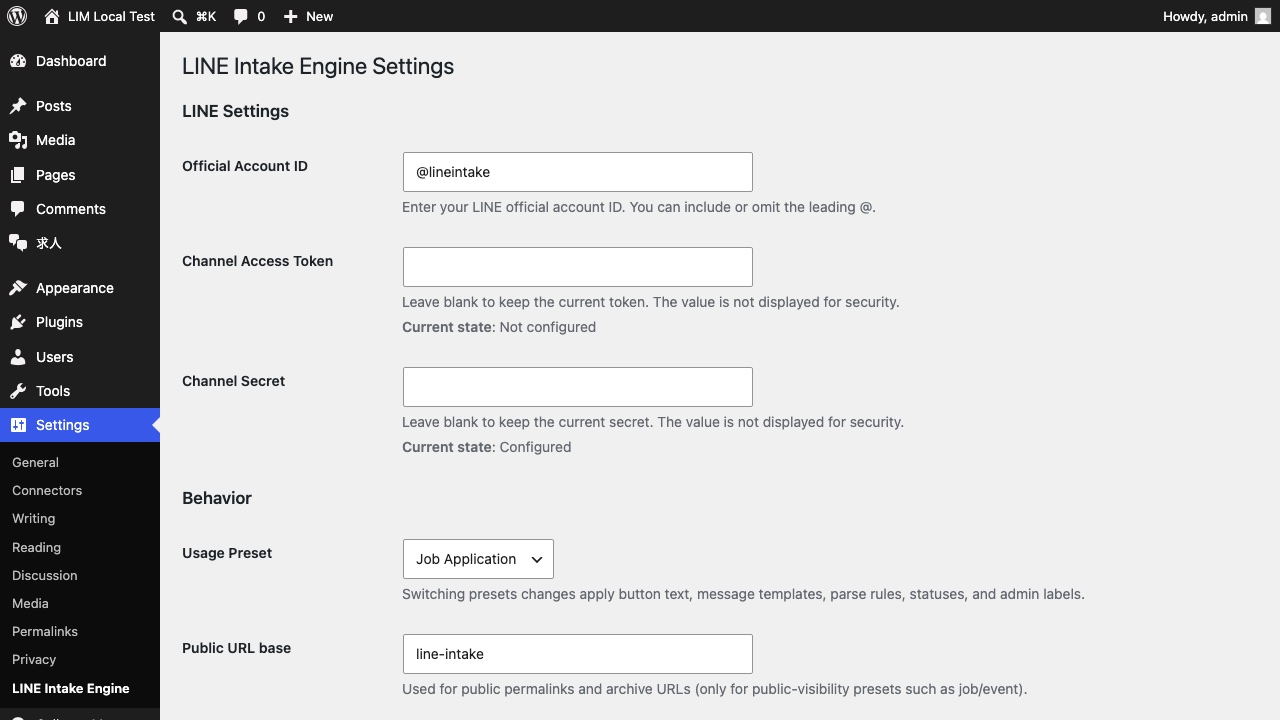
Actual screens
These are the admin screen and front-end flow verified in the local test environment.
Seven intake presets
Switch the site-wide use case to change button labels, LINE pre-filled messages, extraction rules, admin labels, and statuses.
Job applications
job
Event registrations
event
Reservation requests
reserve
Property inquiries
property
Takeout orders
takeaway
Inquiries
inquiry
Campaign entries
campaign
Set up in three steps
Save LINE Developers credentials
Set the official account ID, Channel Access Token, and Channel Secret.
Create intake targets
Register intake targets such as jobs, events, and reservation slots in WordPress. Display LINE buttons automatically or with a shortcode.
Configure the LINE webhook
Register the webhook URL shown by the plugin in LINE Developers. Incoming intake data will then be saved in WordPress.
Operational details are already covered
Signature verification
Supports webhook signature verification with the Channel Secret and rejects invalid requests.
Broadcast safeguards
Reduce mistaken sends with pre-send confirmation, recipient counts, a 30-second lock, and audit logs.
Personal data deletion
Includes an admin UI for deleting contact and intake data by LINE userId.
Uninstall controls
Separate toggles control data deletion and post deletion, helping prevent accidental loss of intake data.
Use cases
Stores, schools, and event operators
- ✓ Receive reservation requests and event registrations from LINE
- ✓ Check applicant contact lists in WordPress
- ✓ Send guidance messages by status
Agencies and freelancers
- ✓ Avoid rebuilding LINE intake flows from scratch
- ✓ Reuse it across hiring, reservation, and inquiry projects
- ✓ Use it on client sites
Please confirm before purchase
- This plugin requires a LINE official account and Messaging API setup in LINE Developers.
- Fees for LINE official accounts, Messaging API usage, and additional messages follow LY Corporation's plans and pricing.
- The purchaser is responsible for obtaining the Channel Access Token and Channel Secret and registering the webhook URL.
- Issues caused by LINE-side specification changes, reviews, account restrictions, or service outages are outside the warranty scope.
- Setup assistance, custom development, and LINE official account operation design are not included in standard support.
Price
LINE Intake Engine
¥9,800
One-time payment, tax included
- ✓ One-time payment, no subscription
- ✓ Unlimited sites
- ✓ OK for client work
- ✓ GPL compliant
- ✓ WordPress 6.2+ / PHP 7.4+
Legal Notice Based on the Specified Commercial Transactions Act / Privacy Policy
FAQ
Do I need a LINE official account?
Yes. A LINE official account and Messaging API setup are required.
What types of intake can I use it for?
You can use it for job applications, event registrations, reservation requests, inquiries, campaign entries, and more.
Can it send broadcasts?
Yes. It includes pre-send confirmation, recipient counts, duplicate-send locking, and send logs.
How many sites can I use it on?
There is no site limit. You can use it on your own WordPress sites or on sites you manage for client work.
Is setup assistance included?
No. If you need LINE Developers setup or custom development, please contact us separately.
Turn LINE intake into a manageable asset.
Do not let requests end inside chat. Keep them in WordPress and connect intake, contacts, and messaging.
Get LINE Intake EngineOne-time ¥9,800 (tax included) · Unlimited sites · Client work OK
このプラグインを紹介して報酬を受け取れます(販売価格の35%)。紹介プログラムの詳細を見る